The ultimate webpage inspector for Devs, Designers & Marketers
Streamline your web audits with a powerful extension
that gives you instant insights into SEO, Design, and Performance right from your browser.

What Our Extension Offers
Everything you need to analyze and improve websites—faster, smarter, and right inside your browser.
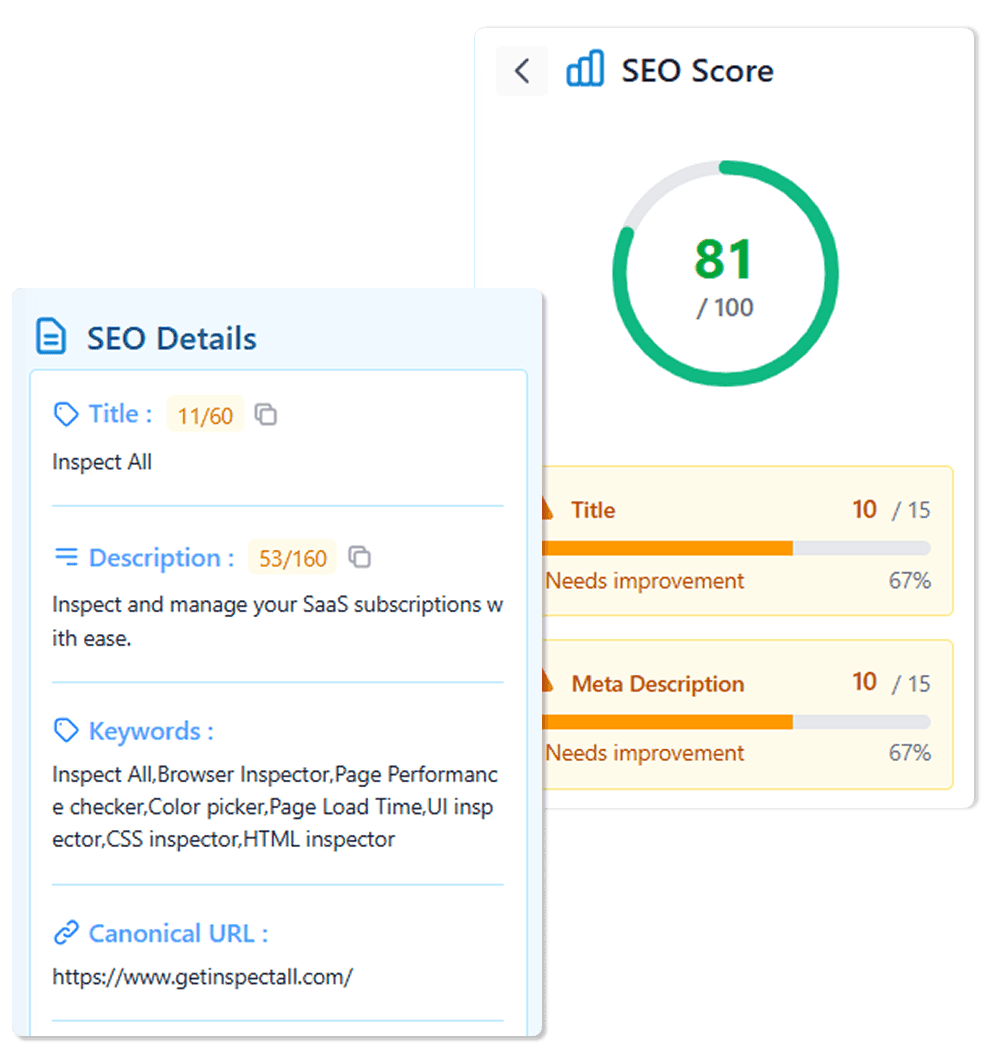
SEO Insights
Get an SEO score and see where to improve - including meta tags, headings, keywords, and structure.
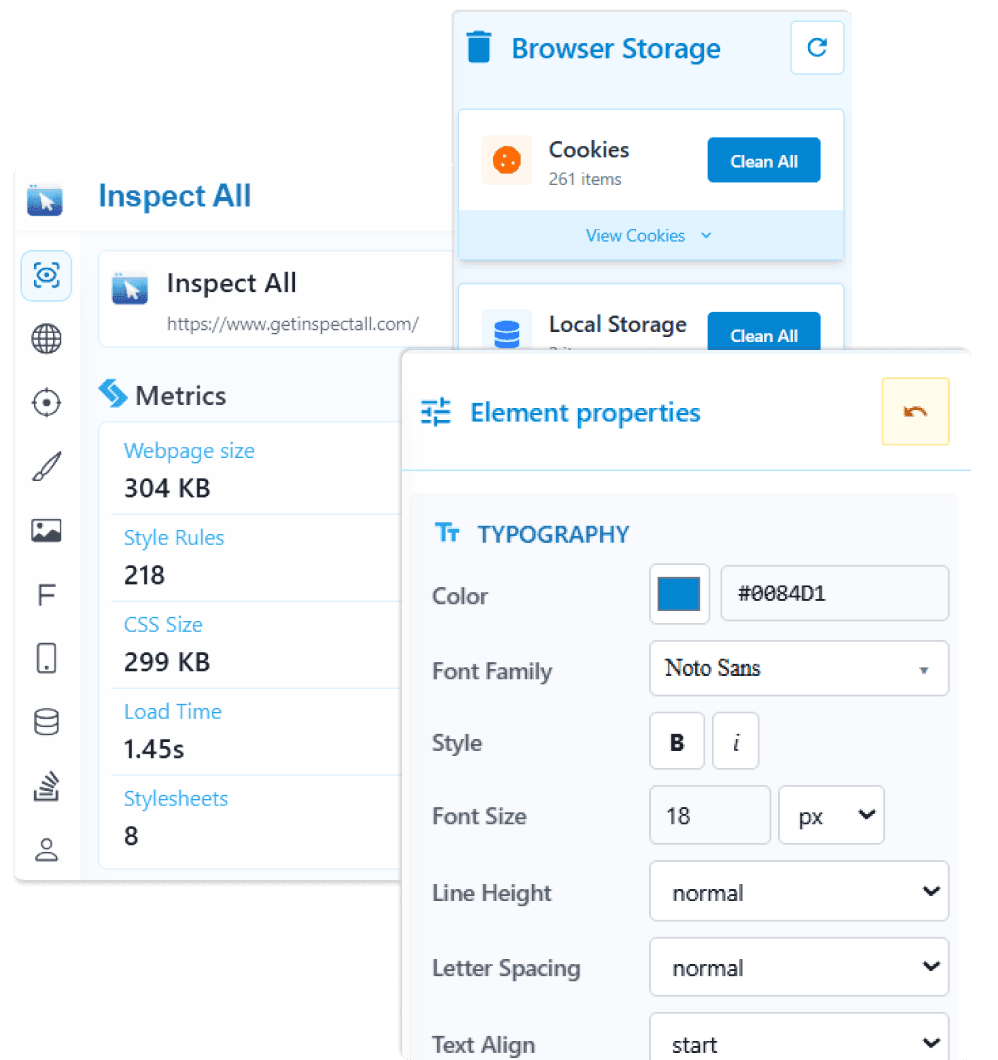
Element Inspector
Hover to inspect HTML/CSS with real-time data—perfect for tweaking layouts or debugging issues.
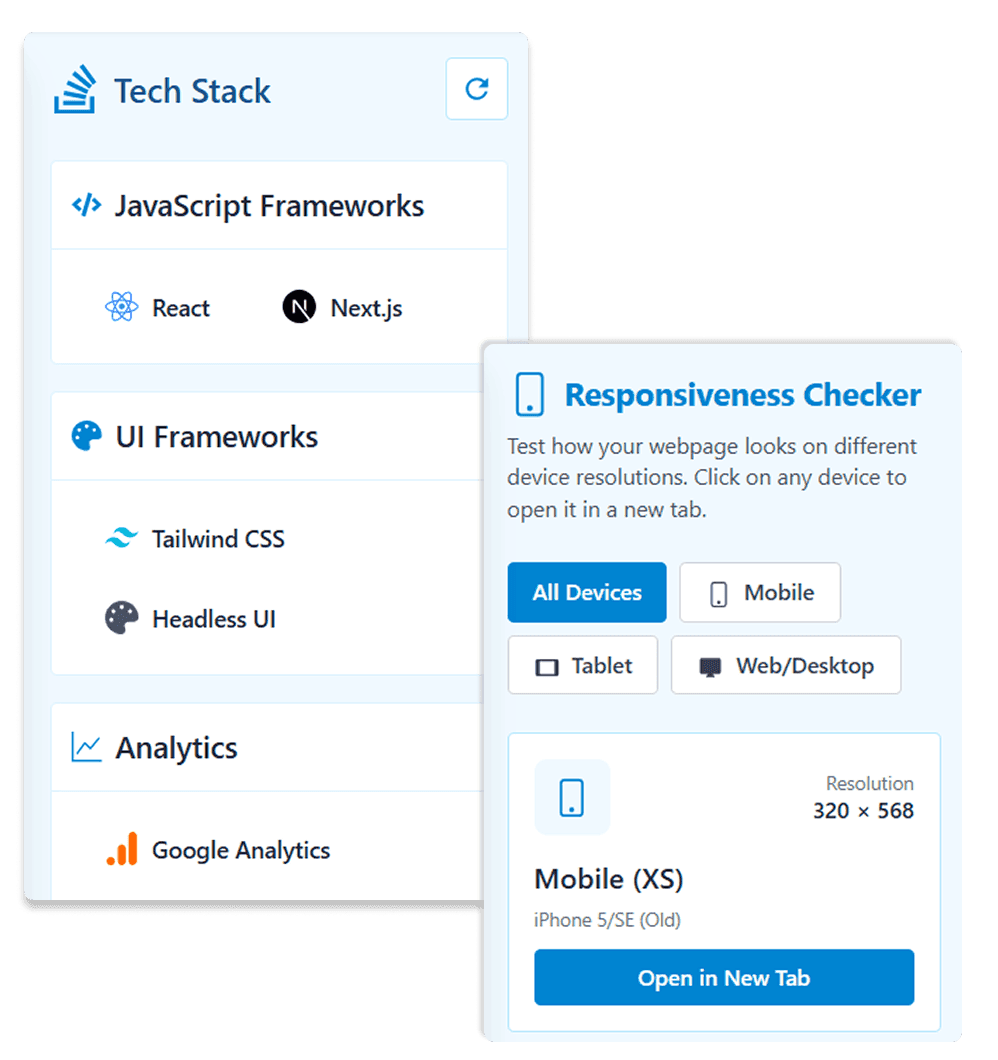
Tech Stack
Detect frameworks, analytics, hosting, and third‑party tools on any page.
Grid View
Preview your page at different screen sizes. Pick a device to open it in a new tab.
Color Inspector
Detect and extract every color used on the page—including formats, frequency, and transparency.
Font Analyzer
View detailed font usage, weights, styles, and where each typeface is applied.
Image Breakdown
Analyze all images with details on alt text, dimensions, file sizes & image type.
Link Analysis
Analyze all available links with a breakdown of internal, external, and broken links for in-depth SEO auditing.
Responsiveness Checker
Test how your webpage looks on different device resolutions. Click on any device to open it in a new tab.
Inspect & Analyze Any Website — Instantly
Unlock hidden insights on any web page with one powerful Chrome extension — perfect for designers, developers, and SEO pros.
SEO Snapshot
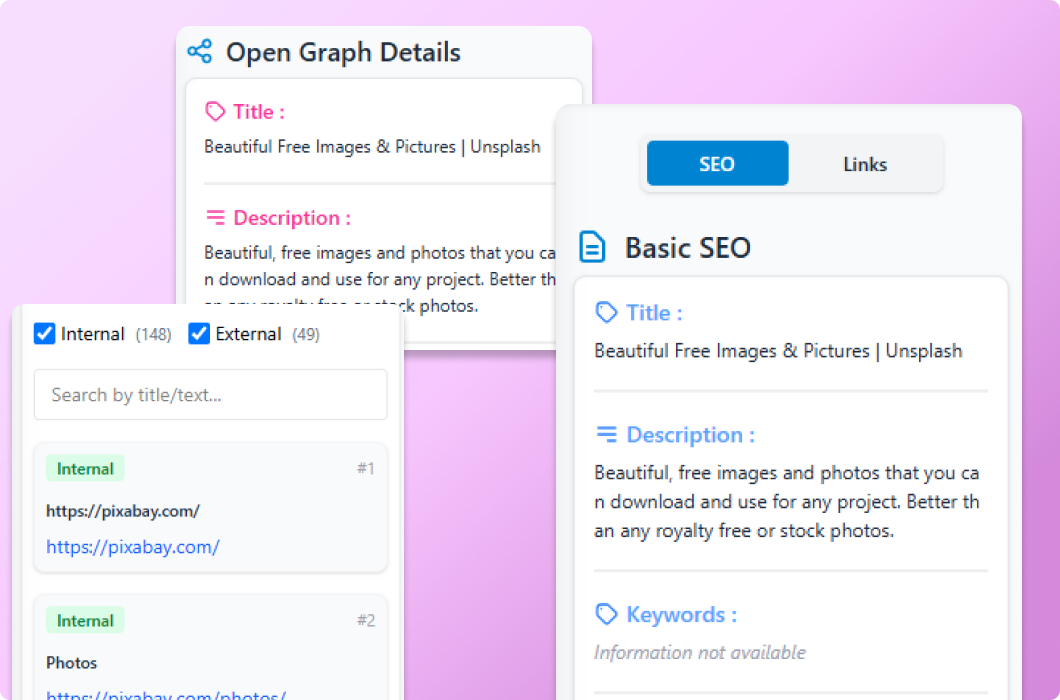
- Instant SEO score and improvement checklist
- Audit meta tags and on-page SEO in one place
- Check heading structure and keyword usage
- Link overview — Internal, external, and broken links.
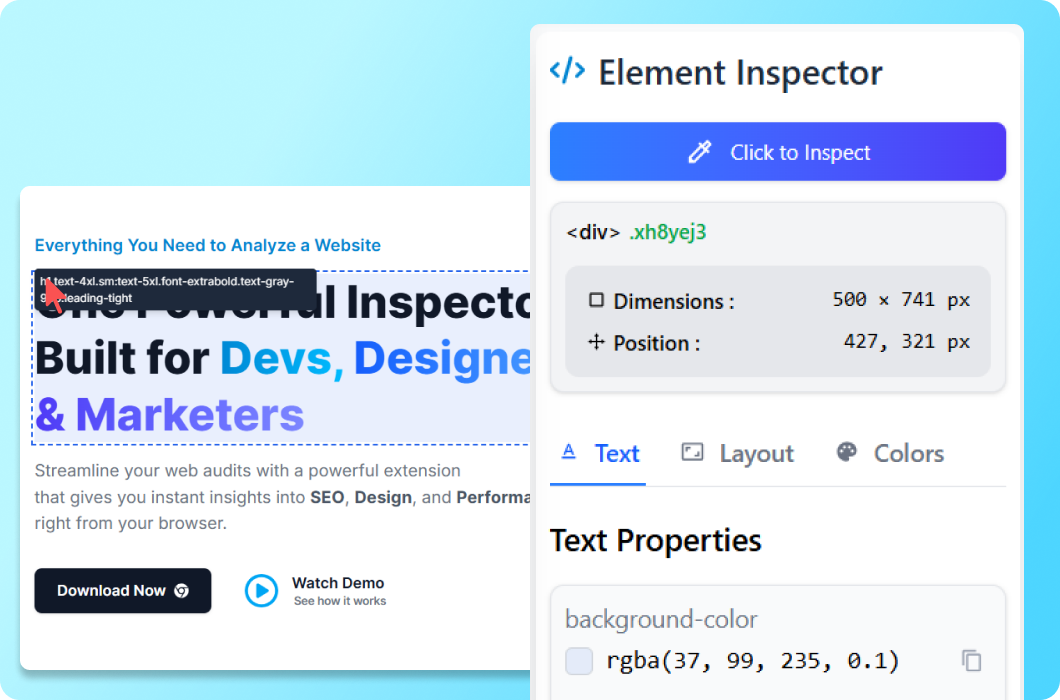
UI Inspector: Your Toolkit for Perfect Styles
- Click-to-inspect with live CSS in the panel
- Hover preview of element properties
- Edit elements styles live without DevTools
- Quickly copy CSS styles from any element on a page
- Hide/remove elements to test layouts
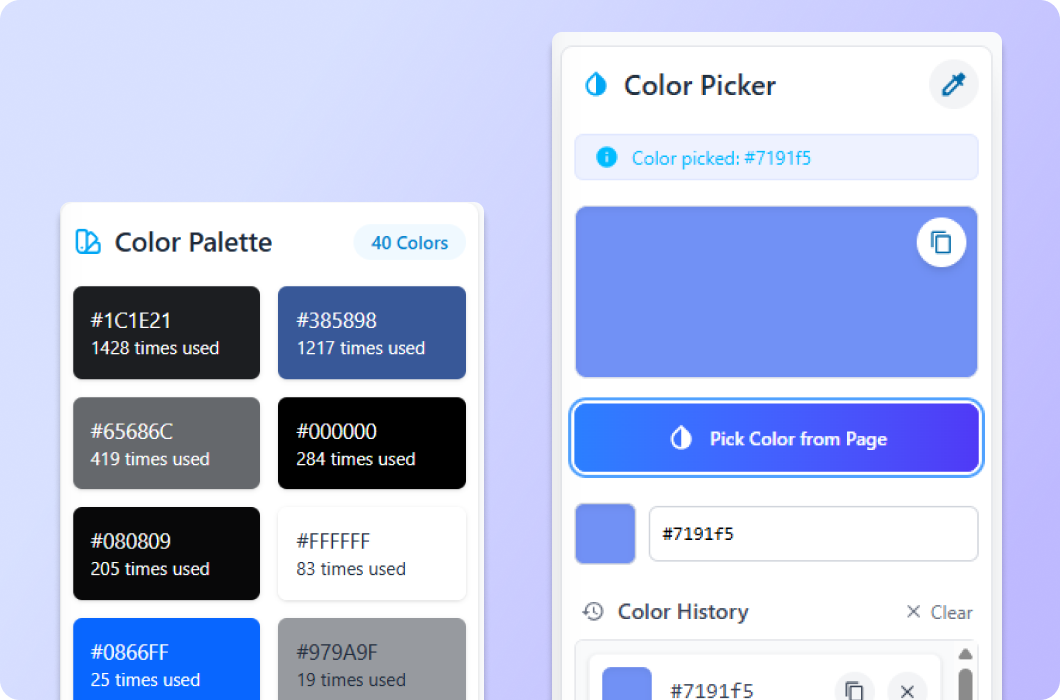
How Inspect All helps Designers
- Check responsive design by simulating different screen sizes and devices.
- Overlay a grid and see dimensions and spacing for alignment and consistency.
- Instantly scan any webpage and generate a complete palette of all colors used.
- Review font family, size, weight, line height, and spacing to keep your design consistent.
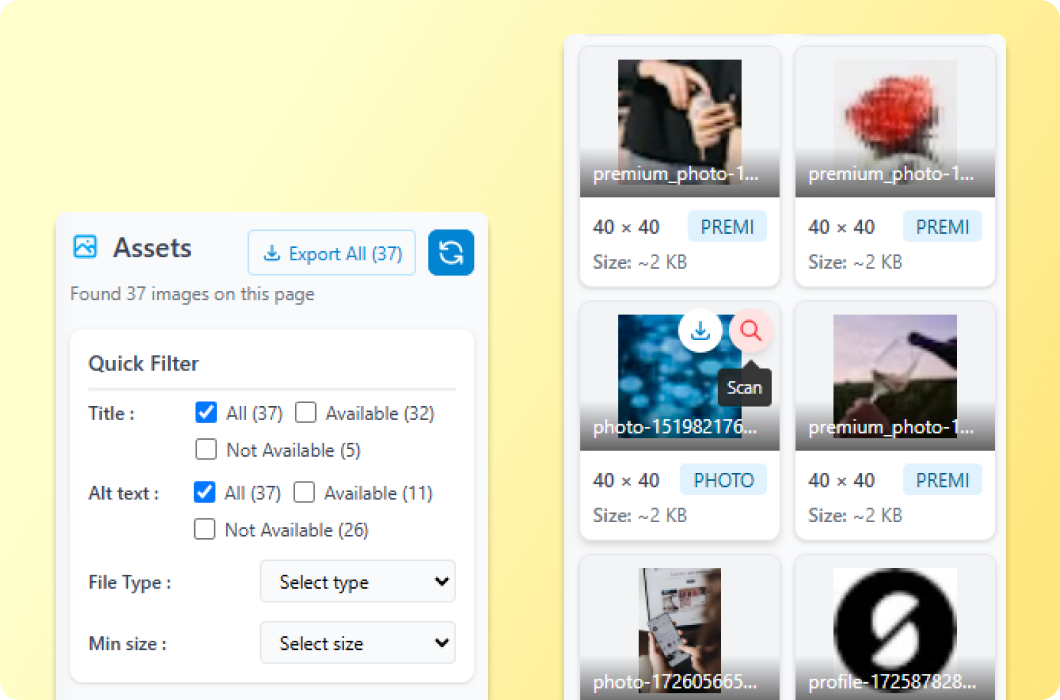
Instantly Filter, Preview, and Download Webpage Assets
- Get the list of all images & videos assets on a page
- Filter images by title, alt text, file type, and size to quickly find exactly what you need.
- Download all assets simultaneously or select specific assets for export with just a single click.
- Scan and access any assets that are located within a single click on the page.
Pricing
Try it for free and upgrade to unlock advanced features that will boost your efficiency.
Features
- Overview
- Seo details
- Inspect element
- Color list
- Color picker
- Responsiveness checker
- Seo score details
- Tech stack
- Browser storage
- Edit element styles
- Hover inspect
- Link analysis
- Page structure
- Grid view
- Delete & hide element
- Font & Heading
- Color history

Frequently Asked Questions
Everything you need to know about Inspect All. Contact us if you can't find your answer.